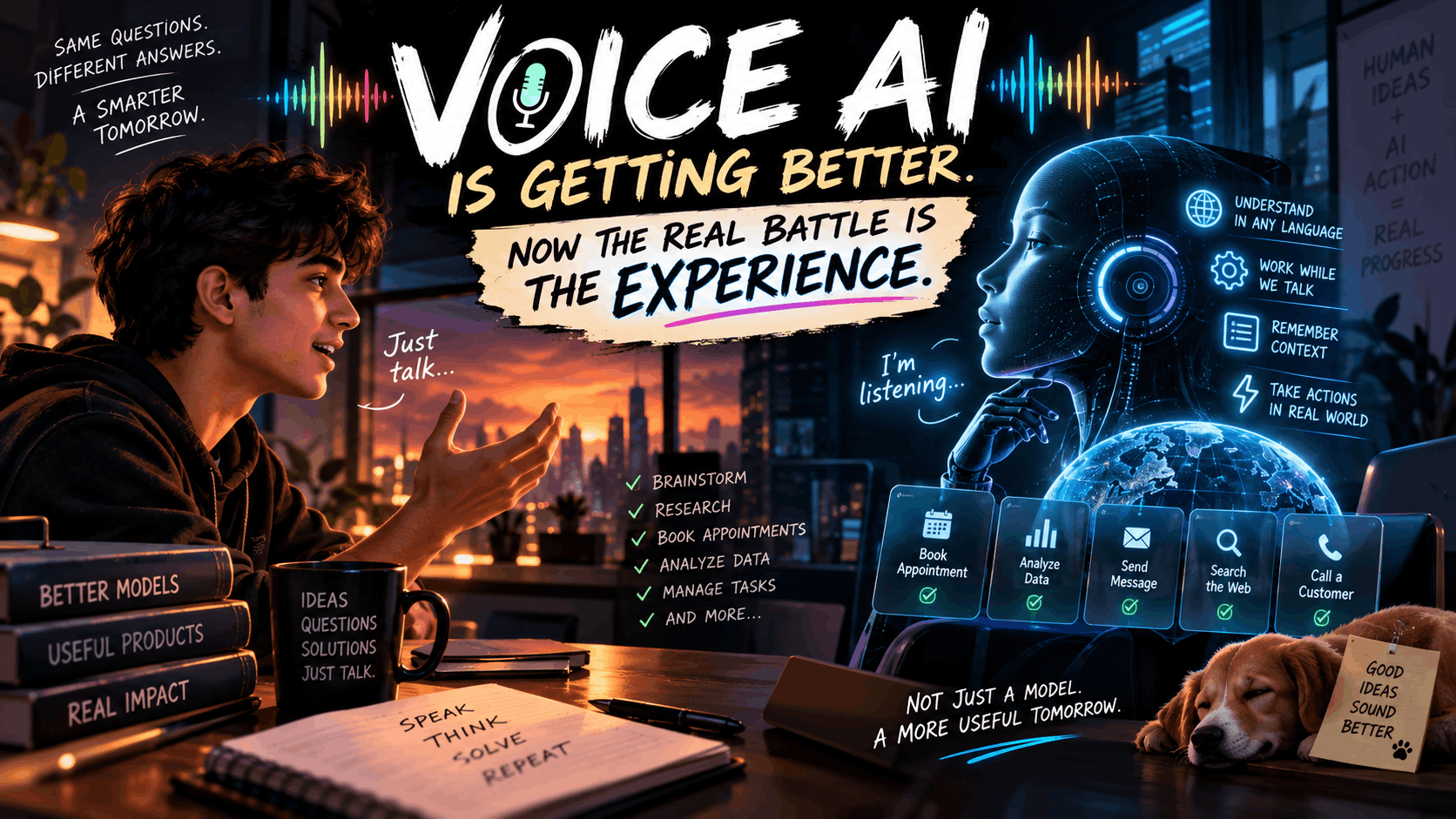
In a significant expansion of its user interface capabilities, OpenAI has introduced ChatGPT Voice to its dedicated desktop application. Powered by the newly launched ChatGPT-Live family of models, this update transforms the AI from a simple text generator into an active, voice-controlled desktop agent capable of executing complex, multi-step workflows. This move signals a fundamental shift in conversational computing, indicating that the future of enterprise and developer productivity lies in seamless, hands-free interactions directly integrated with the operating system.
Introduction
The evolution of artificial intelligence assistants is accelerating beyond the confines of the browser window. While early iterations relied entirely on text prompts, the demand for natural, fluid interactions has driven rapid advancements in voice technology. For a long time, the most sophisticated voice models were restricted to mobile platforms, serving primarily as conversational companions.
Now, desktop productivity tools are catching up, moving from passive responders to active participants. OpenAI’s decision to bring its most advanced voice capabilities to the desktop environment reflects a broader vision for conversational computing: an ecosystem where users can command software, navigate local files, and execute complex workflows as naturally as speaking to a colleague.
What Is ChatGPT Voice for Desktop?
ChatGPT Voice for desktop is a robust integration of OpenAI’s audio processing architecture directly into the computer’s operating system environment. Unlike the mobile version—which was praised for its smooth conversational flow and interruption handling but lacked deep device control—the desktop iteration is built for action.
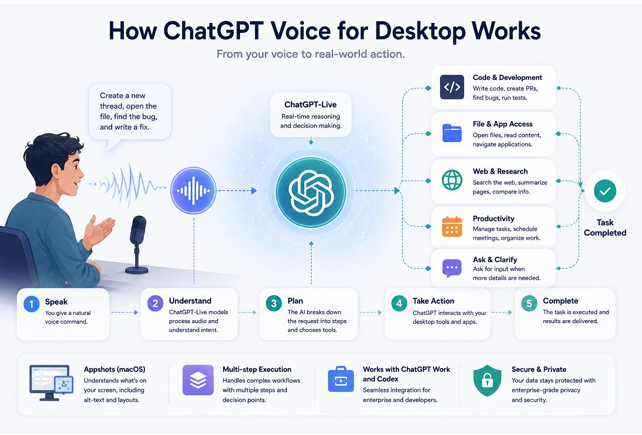
The system leverages the ChatGPT-Live models, specifically designed for real-time responsiveness and complex reasoning. By integrating with the desktop app, the voice interface gains access to a broader set of tools, allowing the AI to bridge the gap between simple conversation and tangible software execution.
Key Features of the New Voice Mode
This update introduces several technical capabilities that elevate the desktop experience:
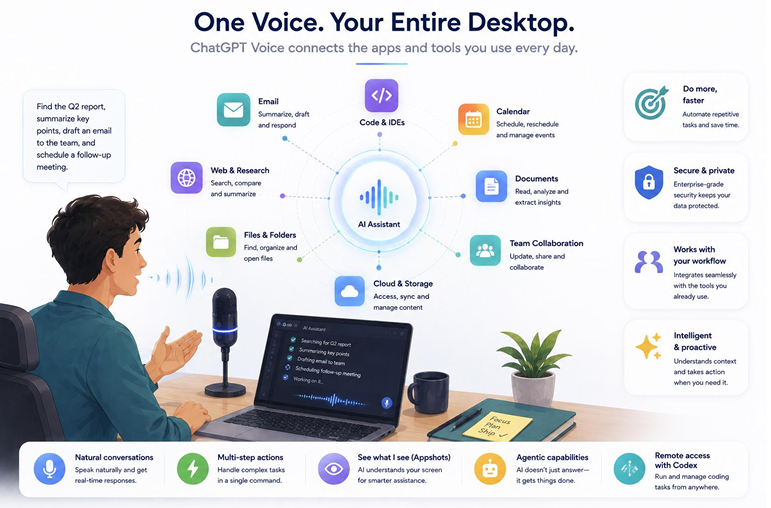
• Voice-Controlled AI Agents: Users can vocally command the AI to take control of specific workflows rather than just answering questions.
• Multi-Step Task Execution: The system can process complex, compound commands. It can handle a sequence of instructions, stopping to ask for user input if a decision branch requires human clarification.
• Appshots on macOS: For Mac users, the integration includes “Appshots,” a feature that allows the AI to visually comprehend the active screen. This includes reading alt-text and understanding the layout of open applications, providing the AI with crucial visual context.
• ChatGPT Work and Codex Integration: The voice system plugs directly into OpenAI’s enterprise and developer tools, bridging the gap between natural language and complex coding environments.
How Voice-Controlled AI Changes Desktop Productivity
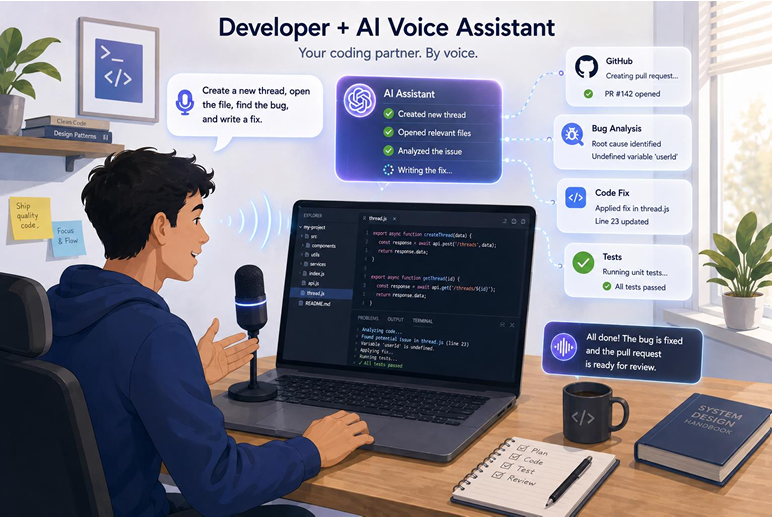
The practical application of these features drastically alters how knowledge workers interact with their machines. In software development, the impact is immediate. OpenAI demonstrated a developer vocally instructing the AI to create a new thread, generate a pull request, and simultaneously hunt for the root cause of a specific bug—all executed from a single, spoken command.
Beyond coding, this capability extends to website navigation and general application control. Users can verbally direct the AI to cross-reference data across open tabs or summarize documents visible on the screen via Appshots. Furthermore, developers can utilize remote Codex access through the iOS app, allowing them to initiate complex desktop coding sequences while away from their keyboards.
| Feature | ChatGPT Voice (Mobile) | ChatGPT Voice (Desktop) |
| Primary Function | Conversational Q&A, ideation | Workflow automation, task execution |
| Device Control | Limited / None | High (can execute software commands) |
| Context Awareness | Relies on conversational history | Uses on-screen visual context (Appshots) |
| Workflow Types | Single-step inquiries | Complex, multi-step command sequences |
Real-World Impact
The rollout of desktop voice control will be felt across multiple professional sectors:
• Software Developers: Can vocalize version control commands and debugging instructions without breaking their typing flow.
• Business Professionals: Can dictate complex email summaries while crossreferencing on-screen spreadsheets.
• Content Creators: Gain the ability to orchestrate research and formatting tasks hands-free.
• Everyday Desktop Users: Benefit from a highly accessible interface that reduces the friction of navigating dense file systems or web applications.
Industry Outlook
The launch of this feature intensifies the ongoing rivalry between OpenAI and Anthropic. Anthropic recently updated its Claude platform with a voice mode capable of interacting with enterprise staples like Slack, Notion, and Canva. This parallel development highlights a clear industry consensus: the future of workplace automation relies on AI agents that can see, hear, and interact with the desktop environment. We are entering an era of voice-first computing, where enterprise AI adoption will increasingly depend on how well these models navigate local operating systems.
Strengths of Desktop Voice AI
• Faster task completion: Bypasses the need for tedious manual clicking and typing for routine workflows.
• More natural interactions: Allows users to express complex problems verbally, which is often faster than typing.
• Better multitasking: Users can direct the AI to perform background tasks while focusing on primary objectives.
• Enhanced accessibility: Provides a powerful alternative interface for users with mobility or visual impairments.
Current Challenges
• Privacy concerns: Allowing an AI to persistently listen and read the active screen (via Appshots) raises significant data privacy questions.
• Desktop permission management: Integrating deeply with OS-level software requires navigating complex security protocols.
• Background noise: Voice recognition remains susceptible to errors in busy office environments.
• Enterprise adoption challenges: IT departments may hesitate to deploy systems that have sweeping access to local machine data.
Why This Matters for the Future of AI
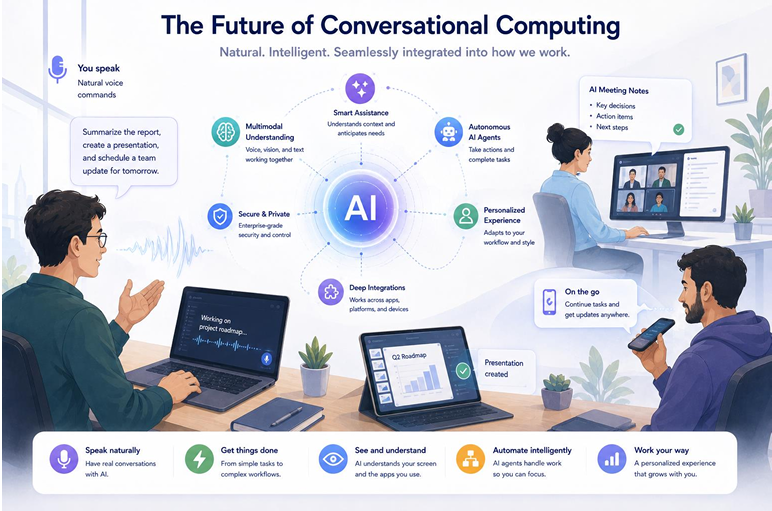
Conversational computing represents a paradigm shift in human-computer interaction. We are moving away from the command-line interfaces and graphical user interfaces (GUIs) that defined the past four decades, toward intent-based computing. By combining voice models with actionable AI agents, the interface becomes invisible. The relationship between voice AI and workplace productivity is solidifying: the most valuable software will be the kind that listens to an objective and autonomously operates the necessary applications to achieve it.
Future Outlook
Looking forward, expect desktop AI assistants to become deeply embedded within the core architecture of macOS and Windows. As these models gain more autonomy, they will transition from executing explicit commands to anticipating user needs—perhaps automatically preparing research documents before a scheduled calendar meeting. The future of multimodal AI interaction will blur the lines between typing, speaking, and pointing, creating a unified, frictionless computing experience.
Final Verdict
OpenAI’s introduction of ChatGPT Voice to the desktop is a vital step toward realizing the promise of autonomous AI agents. By empowering the model to understand on-screen context and execute multi-step software tasks, OpenAI has elevated ChatGPT from a helpful chatbot to an active digital colleague. While privacy and security concerns surrounding screen-reading capabilities will necessitate strict enterprise governance, the sheer productivity gains offered by hands-free, intent-driven computing are undeniable. Users should expect a rapid acceleration in how software responds to the human voice.
Expert FAQs
What is ChatGPT Voice for desktop?
It is an update to the ChatGPT desktop application that allows users to use spoken language to command the AI to execute tasks, control software, and manage workflows directly on their computer.
How is the desktop version different from the mobile version?
While the mobile version excels at fluid conversation, the desktop version is designed for action. It can execute complex, multi-step commands and utilize features like Appshots to read visual context from the computer screen.
Can ChatGPT Voice control desktop applications?
Yes. Through integrations with tools like ChatGPT Work and Codex, it can execute specific workflows, such as managing code repositories or navigating websites.
What is ChatGPT-Live?
ChatGPT-Live is the new family of voice models powering this feature, optimized for realtime responsiveness and complex audio processing.
Does ChatGPT Voice work with Codex?
Yes, it integrates with Codex, allowing developers to verbally command coding tasks like creating pull requests or debugging software.
How does OpenAI compare with Anthropic’s desktop voice features?
Both companies are pursuing desktop automation. While OpenAI focuses heavily on developer workflows (Codex) and screen context (Appshots), Anthropic’s Claude emphasizes executing tasks within specific enterprise apps like Slack, Canva, and Notion.